PreCallCheck
One place to check your camera, microphone, and speakers before a call.
Windows can check these things, but not in one simple place. PreCallCheck brings your camera preview, microphone level, speaker output, and default device checks together in a single small utility before you join a meeting.
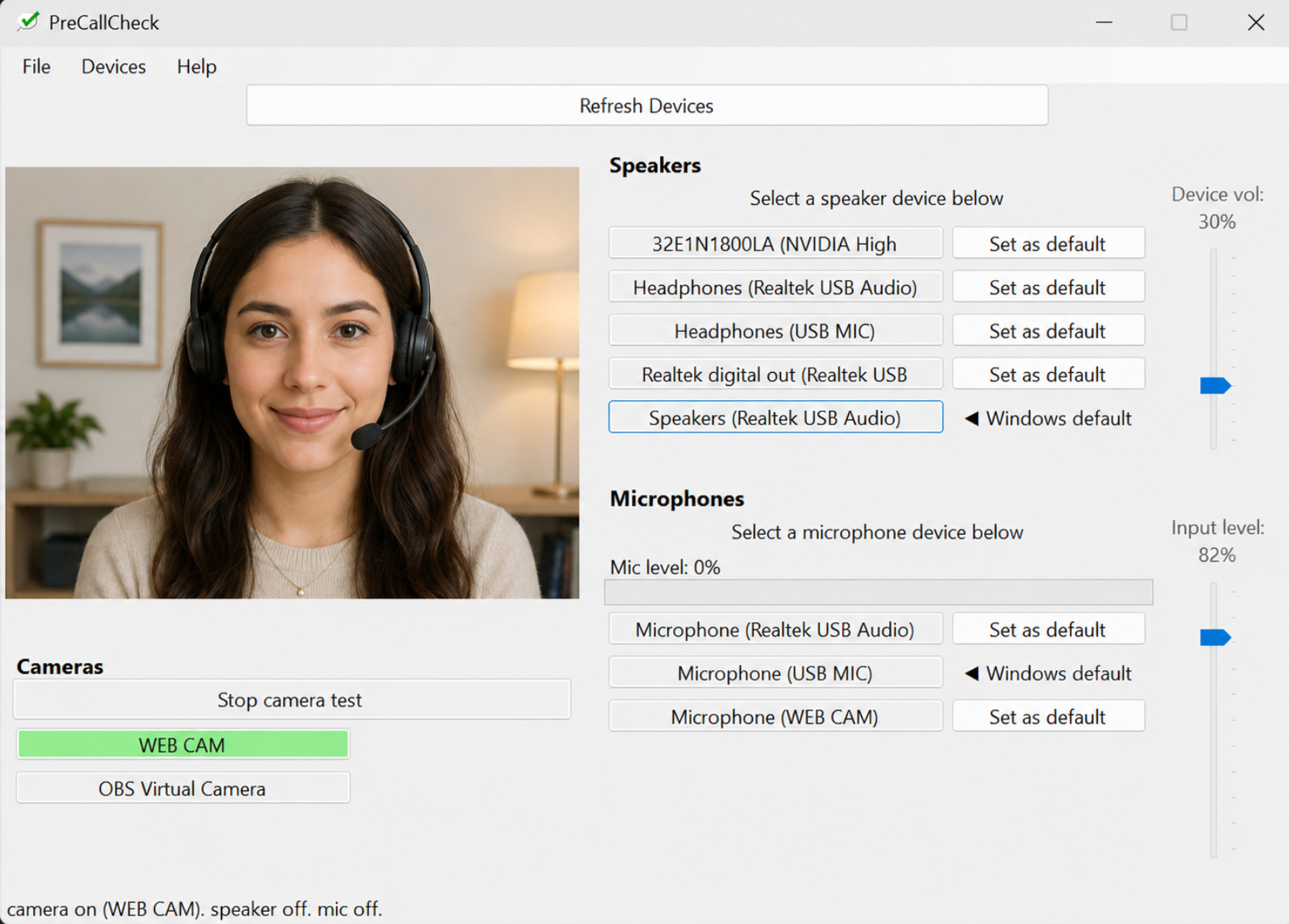
PreCallCheck gives you a quick local view of your camera, selected microphone, selected speakers, and Windows default devices.
Why PreCallCheck?
Before a call, you should not have to dig through several Windows 11 settings screens just to check your webcam, microphone, speaker output, and default devices. PreCallCheck is designed to make that quick and obvious.
What it does
Preview your webcam before joining a call.
See the selected input device and current input level.
Review output devices and Windows default audio settings.
Privacy
PreCallCheck uses your local Windows camera, microphone, and speaker devices for testing. It does not upload or record audio or video.
Contact
Feedback, bug reports, and early user comments are welcome: info@rai-software.com